Try demo
Now in beta · free to try

Upload everything.
Luna turns it into a plan that works.

A study helper for students, parents and teachers. Luna reads your documents, consolidates them into master notes, builds your study plan, tracks how you are really doing, and generates the practice material you need.
Try the live demo
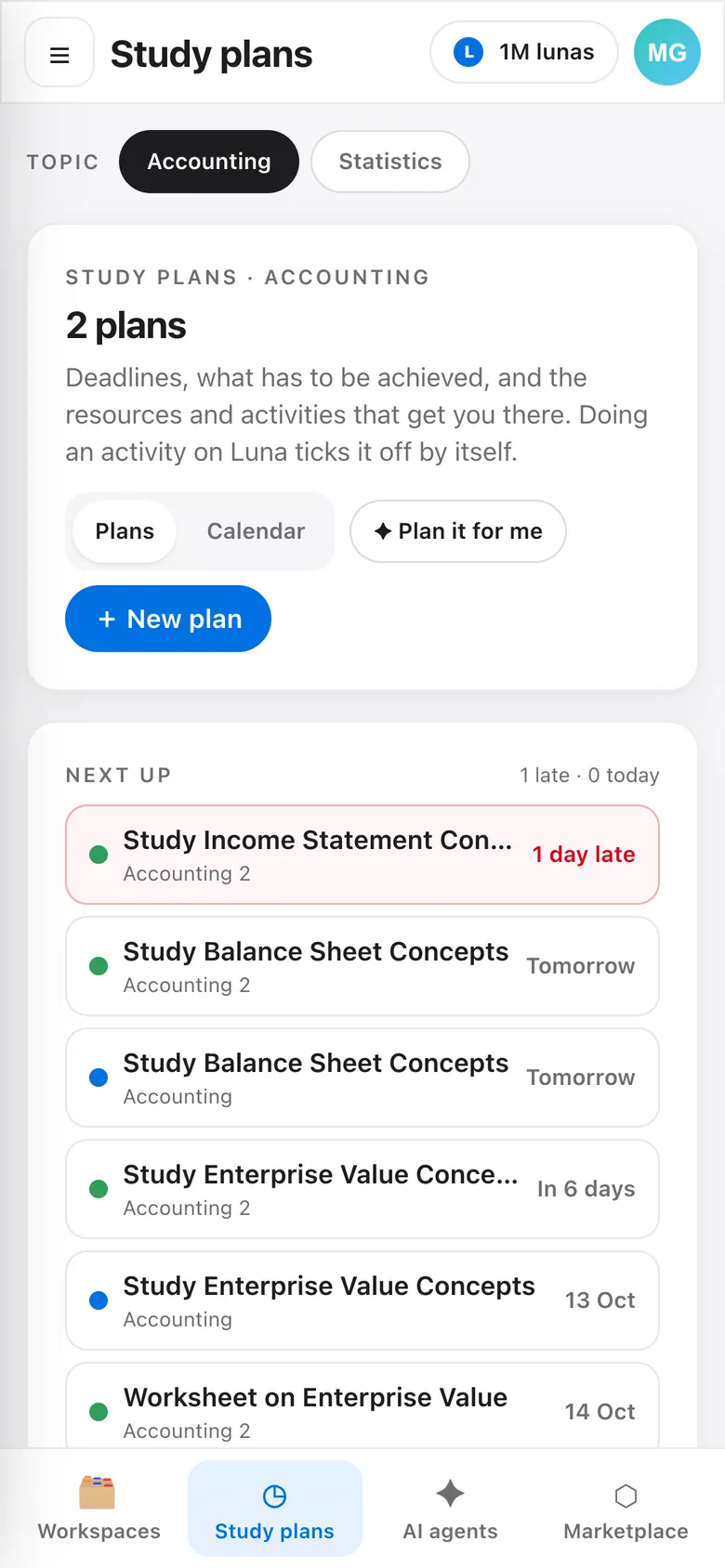
Luna on a phone: study plans
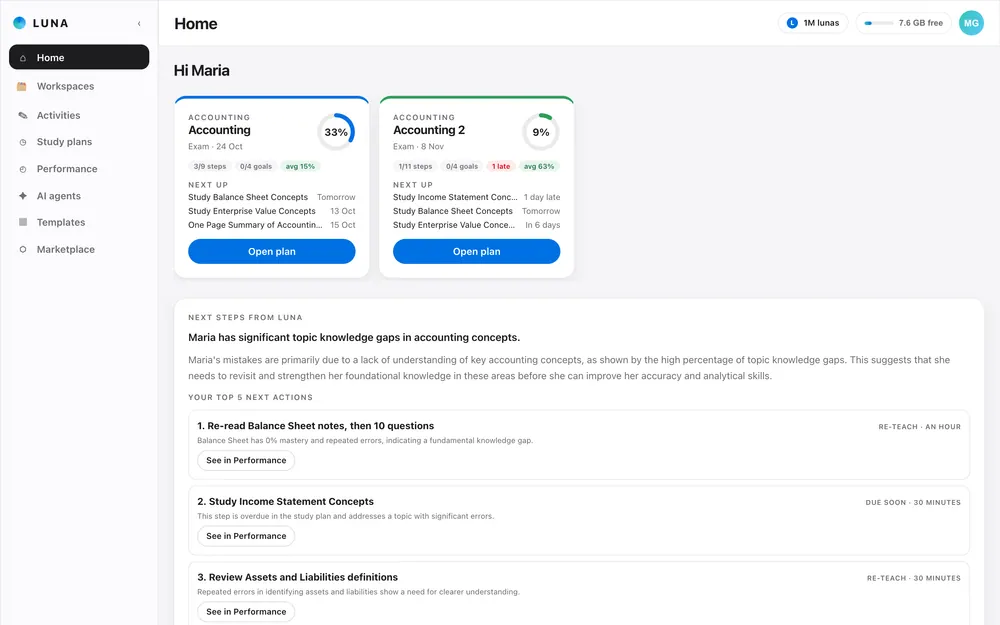
Luna home: study plans, next steps from Luna and your top actions
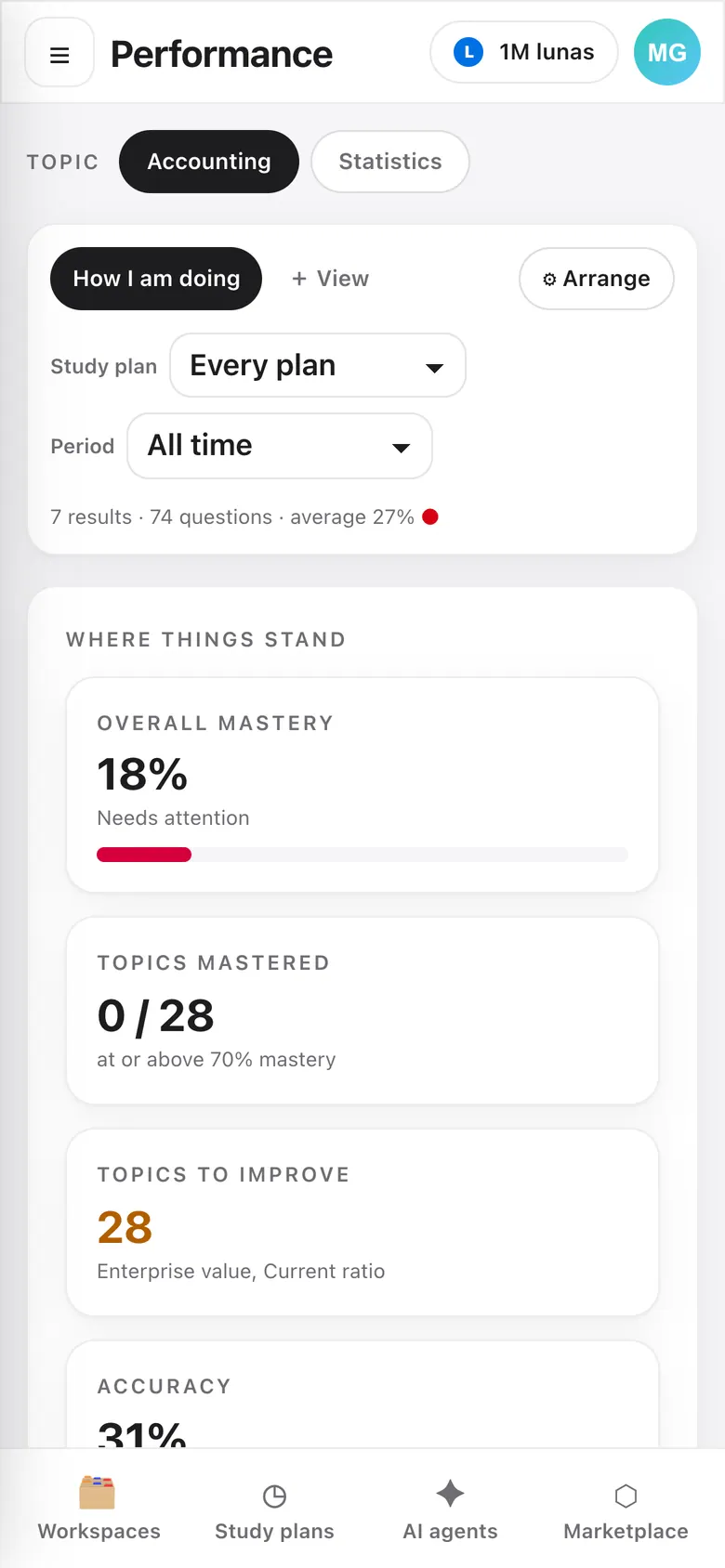
Luna on a phone: performance
Watch

See Luna in 1 minute.

Your AI educational ecosystem: one place to learn for students, teachers and parents.

58 seconds, with music. Everything in it is the running app.

Inside Luna

The AI educational ecosystem. Everyone in one place.

Swipe through the product: from the first upload to the performance view.
Luna home: study plans, next steps from Luna and your top actions
Your week at a glancePlans, what is due next and Luna's read of what to work on.
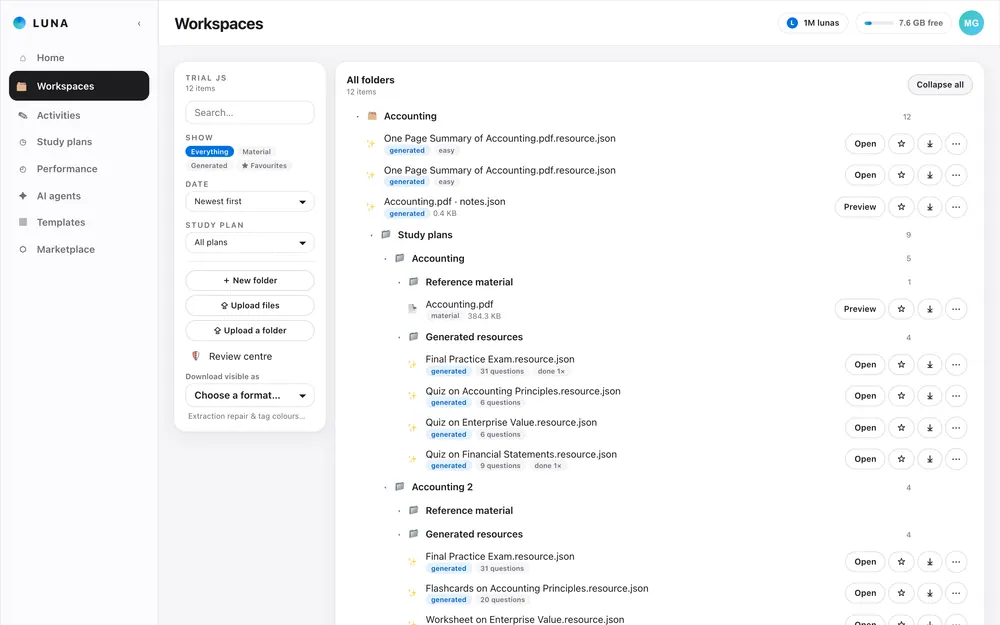
Workspaces: your documents and generated resources, organised the way you choose
All your material, organisedA structured repository of uploaded and generated materials, all in one place, and shareable across accounts.
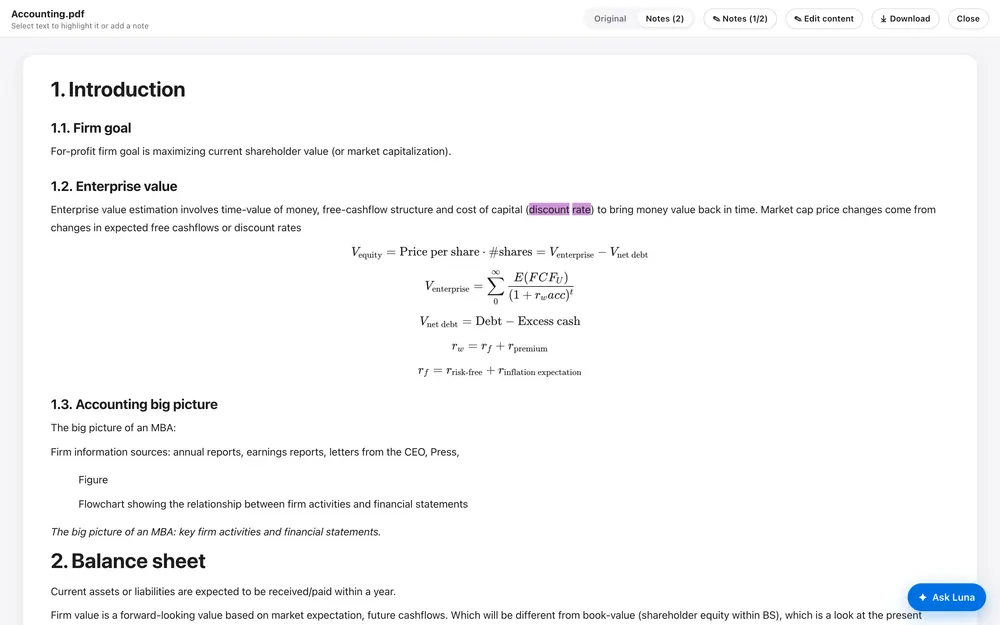
Luna reader: a document with headings, formulas and highlighted notes
Notes you can read and mark upHeadings, formulas and figures kept intact, with highlights and notes alongside.
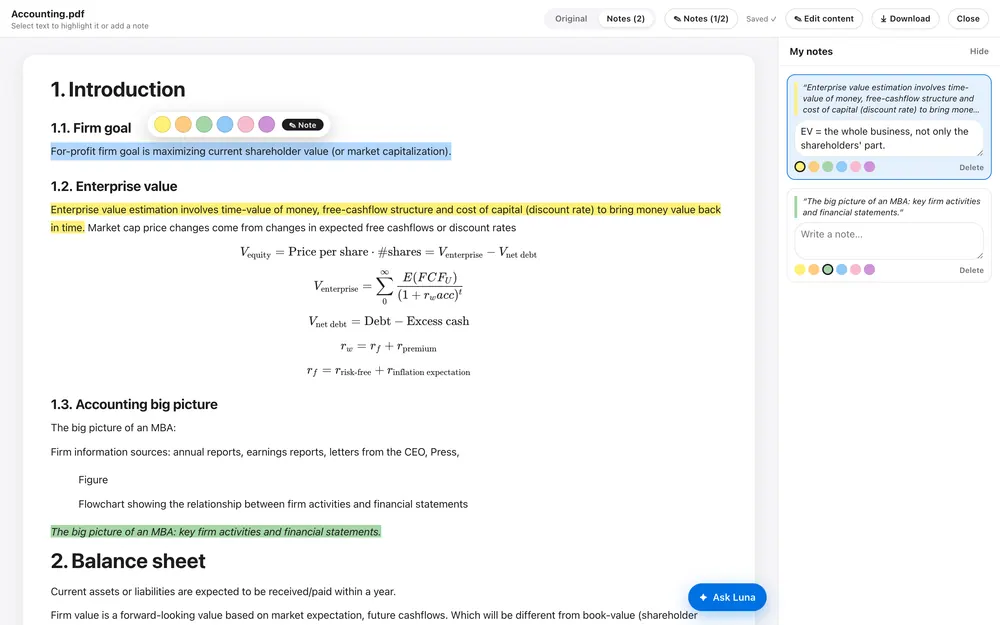
The reader with a sentence selected: highlight colours and a note box
Select, colour, noteSelect a sentence, paint it a colour and add a note that stays with the text.
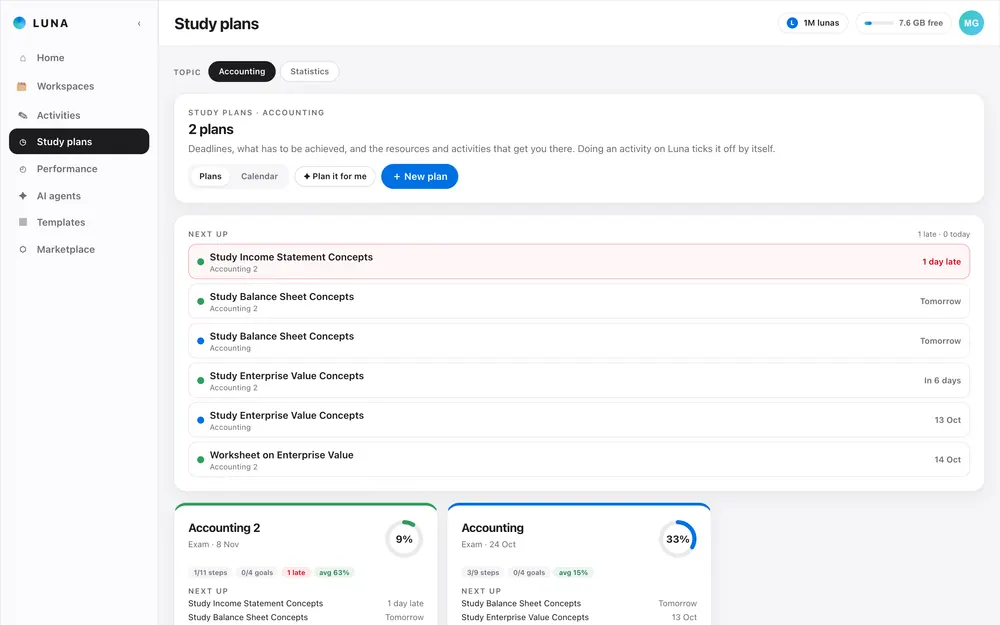
Study plans: what is due next and every plan's progress
A study plan with deadlinesWhat has to be achieved, by when, and the activities that get you there.
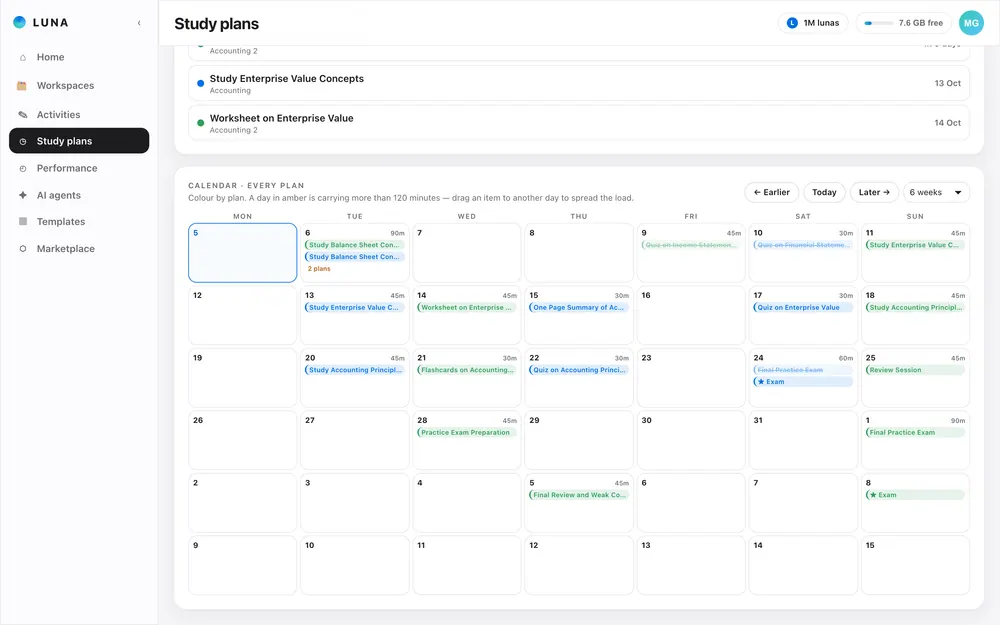
Study plan calendar with the work spread over the weeks before the exam
Work spread over the calendarEvery step lands on a day before the exam, colour-coded by plan.
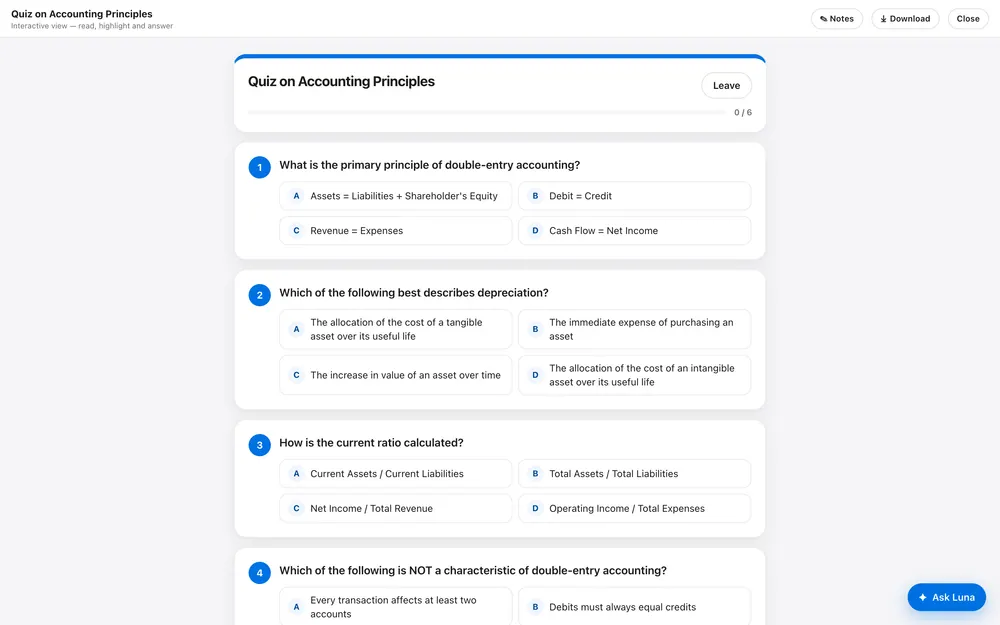
An interactive quiz answered inside Luna
Practise inside LunaAnswer quizzes and flashcards on the platform so every attempt is tracked.
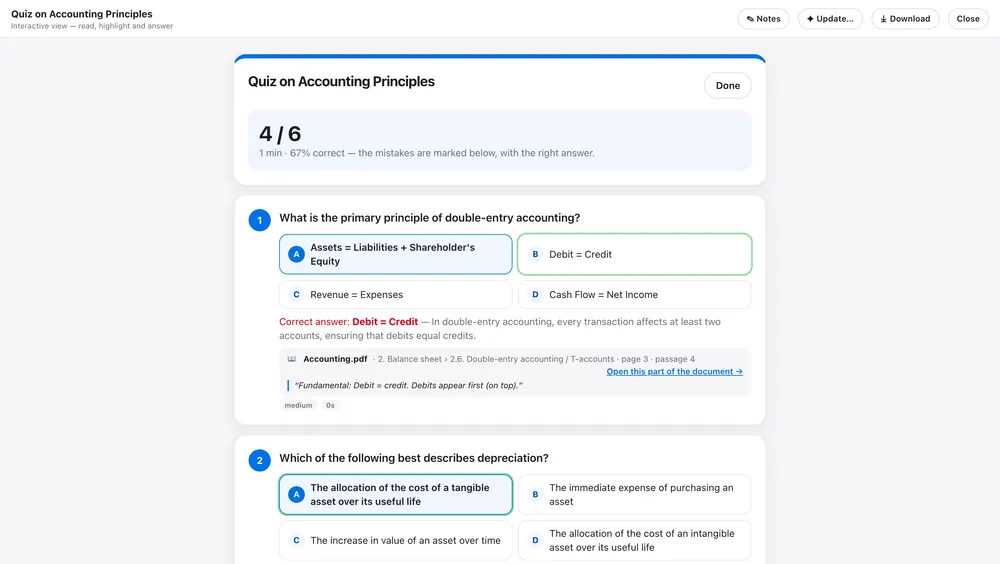
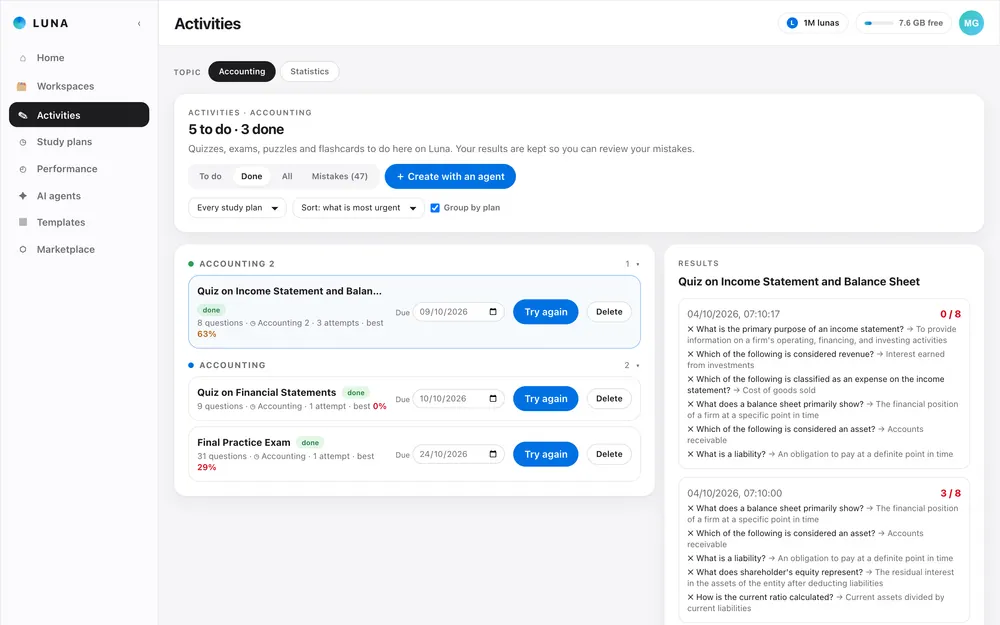
A quiz after checking: each answer marked, with where it is located in your documents
Every answer, traced to your documentsAfter you check, Luna shows where each answer sits in your own material.
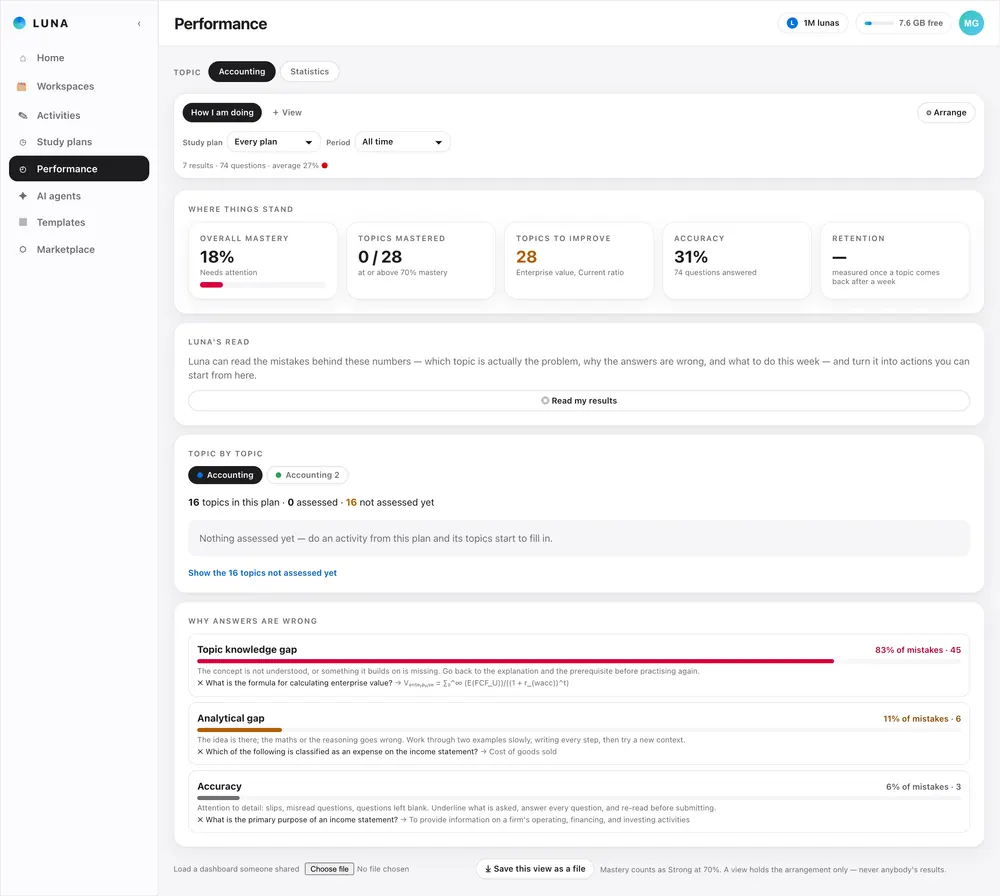
Performance: mastery, topics to improve and why answers are wrong
See why answers go wrongMastery by topic, and whether mistakes come from knowledge, reasoning or attention.
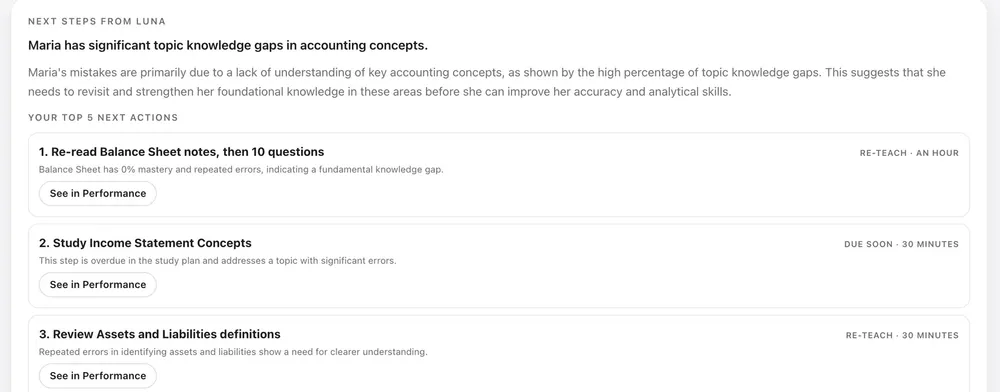
Luna's read of the results: a plain diagnosis and the top five next actions
Luna's read of your resultsA plain diagnosis of what is really going wrong and the five things to do next, each one a click away.
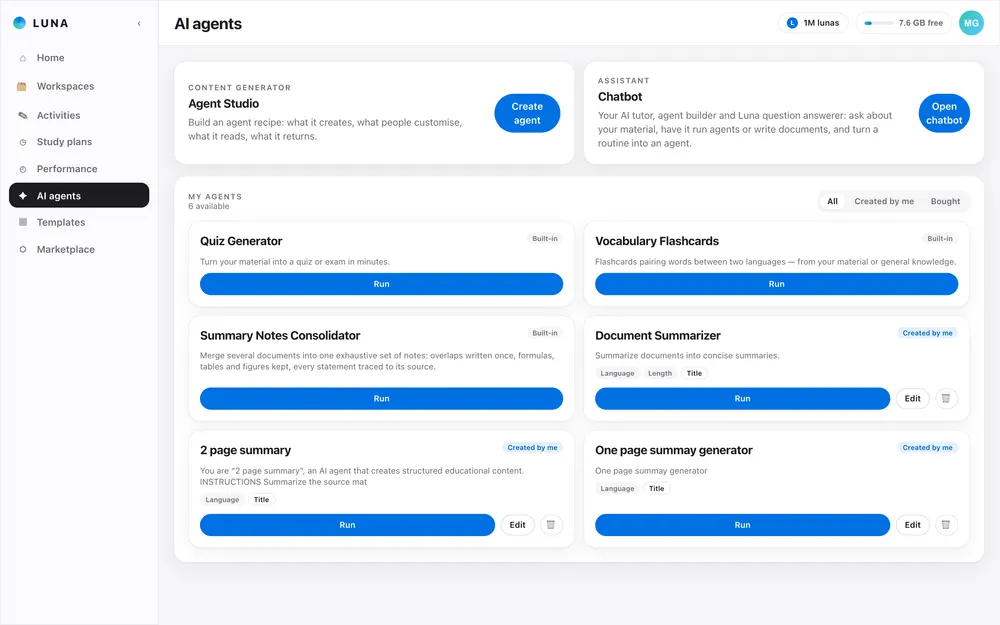
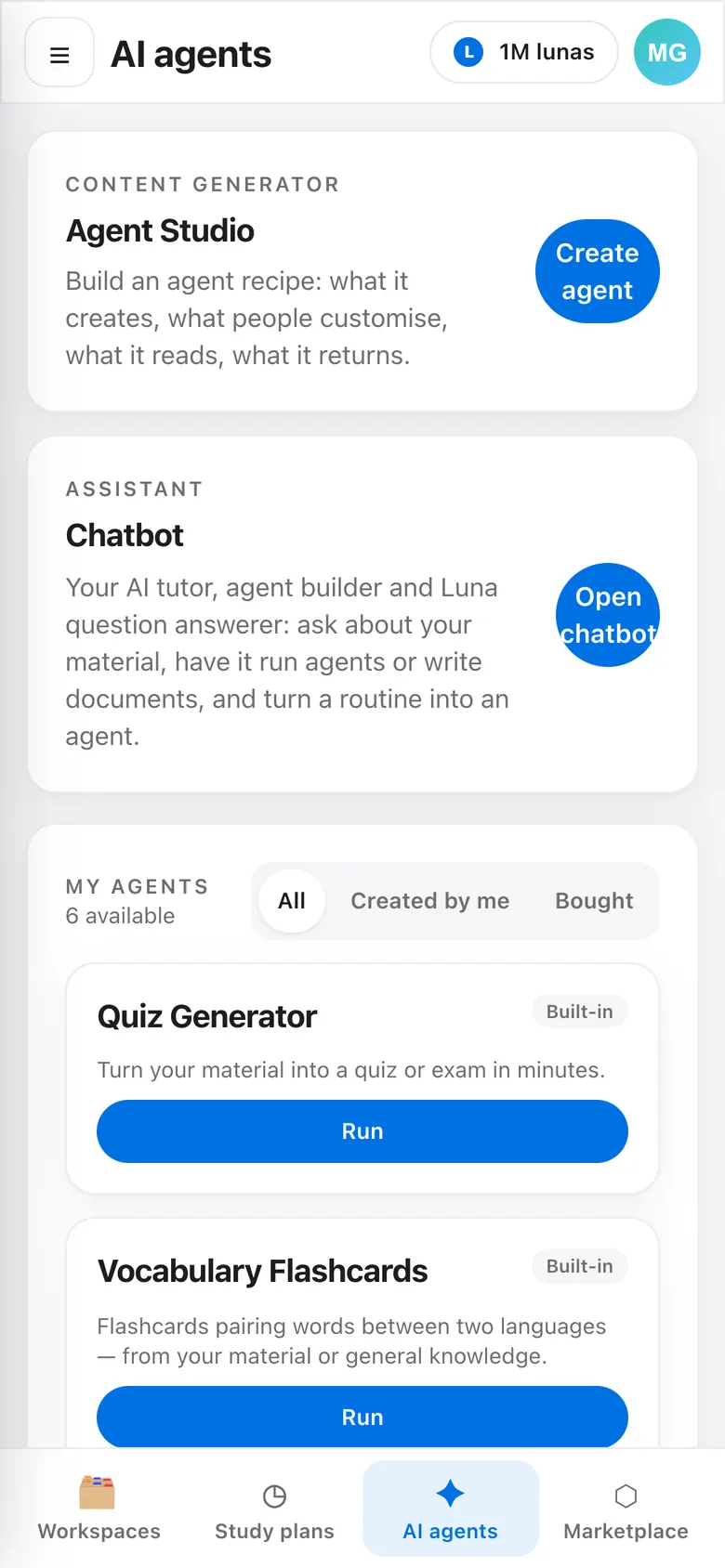
AI agents: the quiz generator, flashcards and your own agents, each with a Run button
Agents for every kind of materialQuiz, flashcards and summaries built in, plus agents you made or installed.
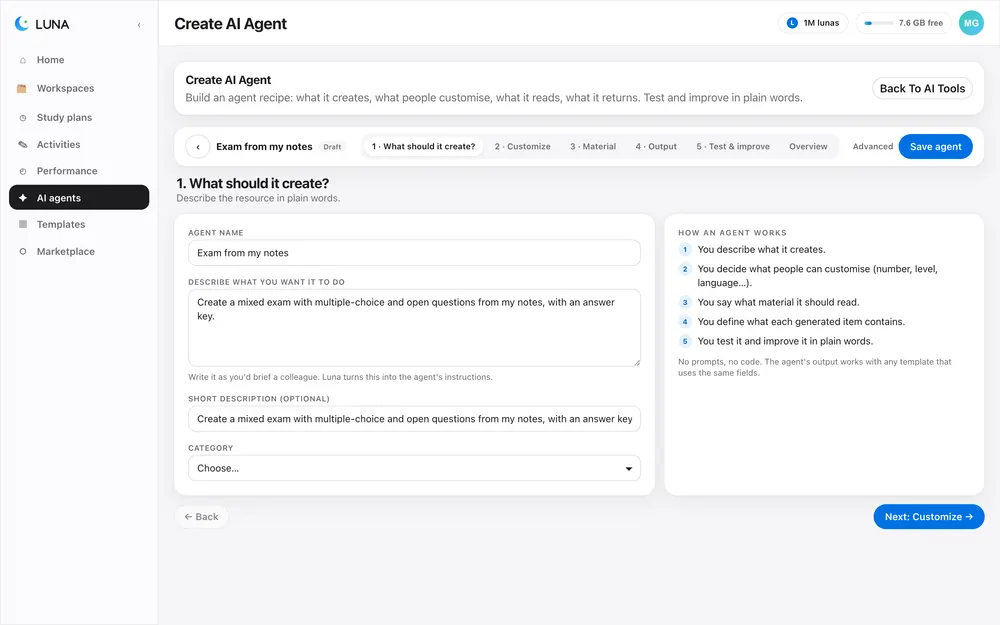
Agent builder, step 1: say in plain language what the agent does
Build your own agentSay what it does, choose what it reads, set the questions the runner answers and pick the output blocks it may use.
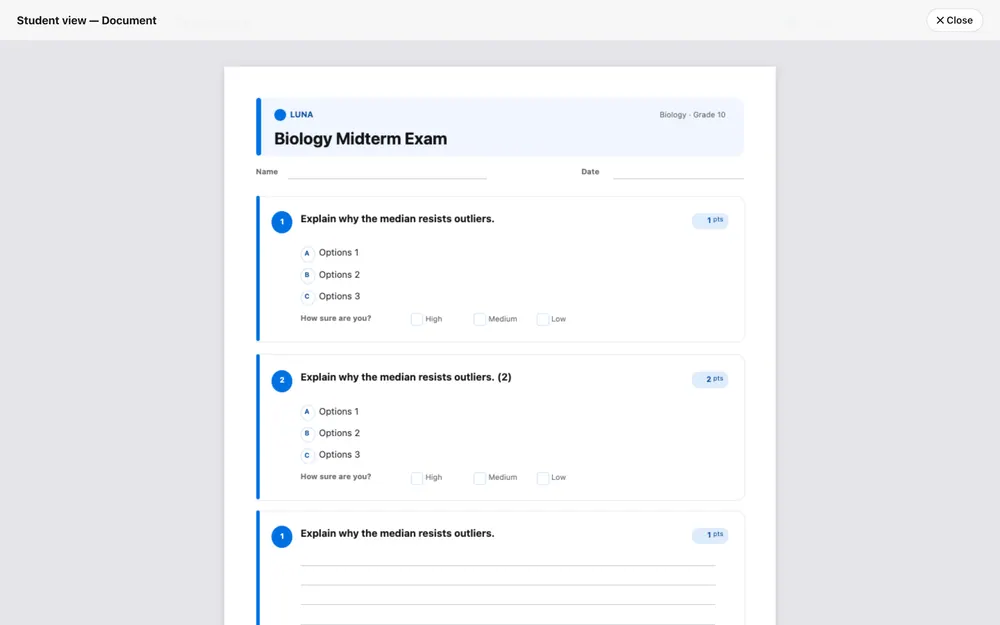
A4 preview of an exam template, student view
Choose how it looksThe same content as an A4 exam, a worksheet or a deck: you pick the design.
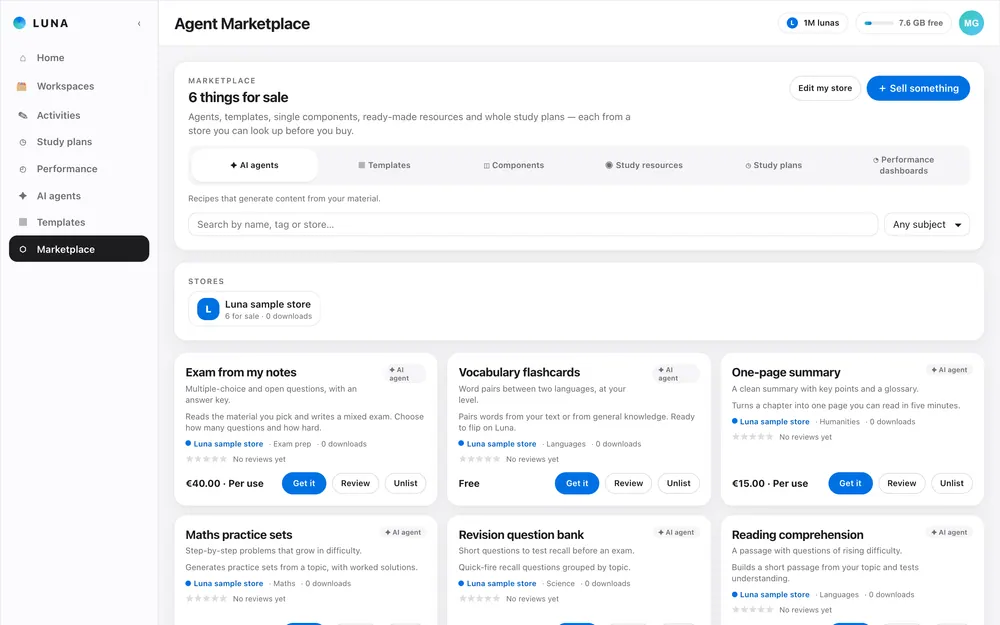
Marketplace shelves for agents, templates, components, resources and study plans (sample listings)
Browse agents, templates and plansThe marketplace shelves (sample listings shown).
Three parts, one environment

Study. Create. Expand.

Luna Study is where you learn. Luna Create is where you build your own resource-generating agents. The Marketplace is where you buy and sell more.

Luna Study

Upload once. Study with a plan.

  • Upload documents and organise them in folders your way. Text, headings, formulas and figures are kept.
  • Read the consolidated master notes, highlight and add your own notes.
  • Follow a study plan tied to your goals and exam dates; doing an activity ticks it off.
  • See what to reinforce, and why mistakes happen: topic knowledge, reasoning or attention.
Study plans: what is due next and every plan's progress
Luna reader: a document with headings, formulas and highlighted notes
Luna Create

Build the agents you need.

  • Agent Studio: say what the agent does, what it reads, what the person running it chooses.
  • Pick which output blocks it may use; the agent decides the order.
  • Template Studio: the same content as an exam, a worksheet or flashcards, in the style you choose.
  • Answer inside Luna, or export to PDF, Word or HTML.
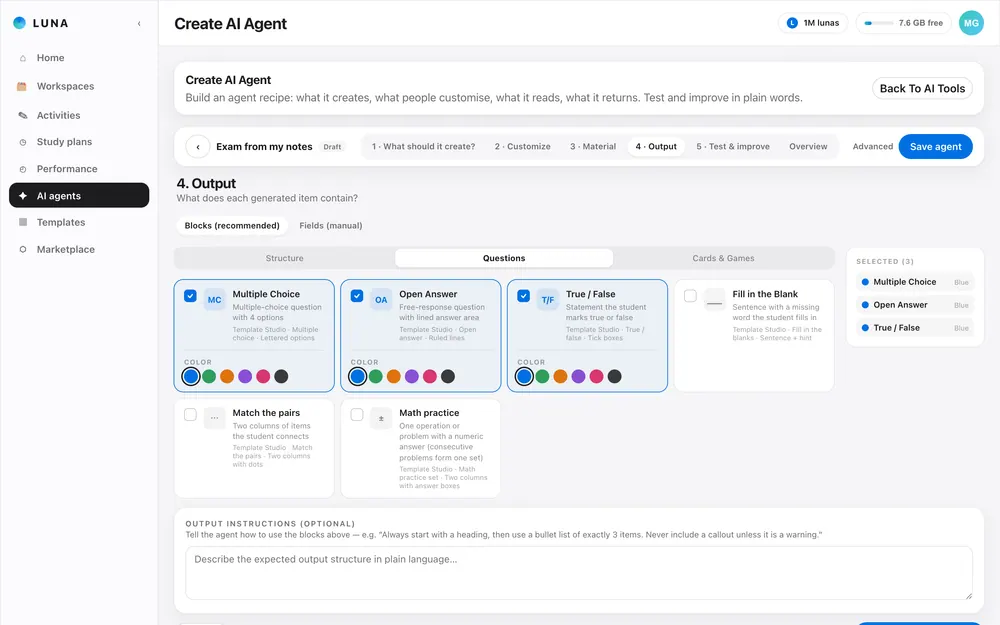
Agent Studio, step 4: pick the output blocks the agent may use
A4 preview of an exam template, student view
Luna Marketplace

Buy to skip the setup. Sell what you build.

  • Browse agents, templates, components, study resources and whole study plans.
  • Everything is bought and sold in Lunas, the same credit that pays for AI usage.
  • Package your own agents and templates for others. Browsing and installing work today; plans, payments and top-ups are coming soon.
Marketplace shelves for agents, templates, components, resources and study plans (sample listings)
AI agents: the quiz generator, flashcards and your own agents, each with a Run button
How it works

From a pile of documents to a system that adapts.

  1. Workspaces: your documents and generated resources, organised the way you choose
    1

    Upload

    Drop in your PDFs, Word files and notes. Luna reads the text, headings, formulas and figures.

  2. Study plan calendar with the work spread over the weeks before the exam
    2

    Get a plan

    Luna consolidates the material into master notes and builds a study plan with deadlines.

  3. Results of an activity: attempts, score and the mistakes to review
    3

    Practise and track

    Do quizzes and flashcards on Luna. Every answer feeds your performance view.

  4. Agent builder, step 1: say in plain language what the agent does
    4

    Expand with your own agents

    Build an agent in Agent Studio or buy one in the Marketplace, and plug in the templates you like.

On your phone · app coming soon

Luna on your phone.

A native app is coming soon. Until then, open Luna in your phone's browser and add it to your home screen: it opens full screen, with a tab bar under your thumb for plans, practice and performance.
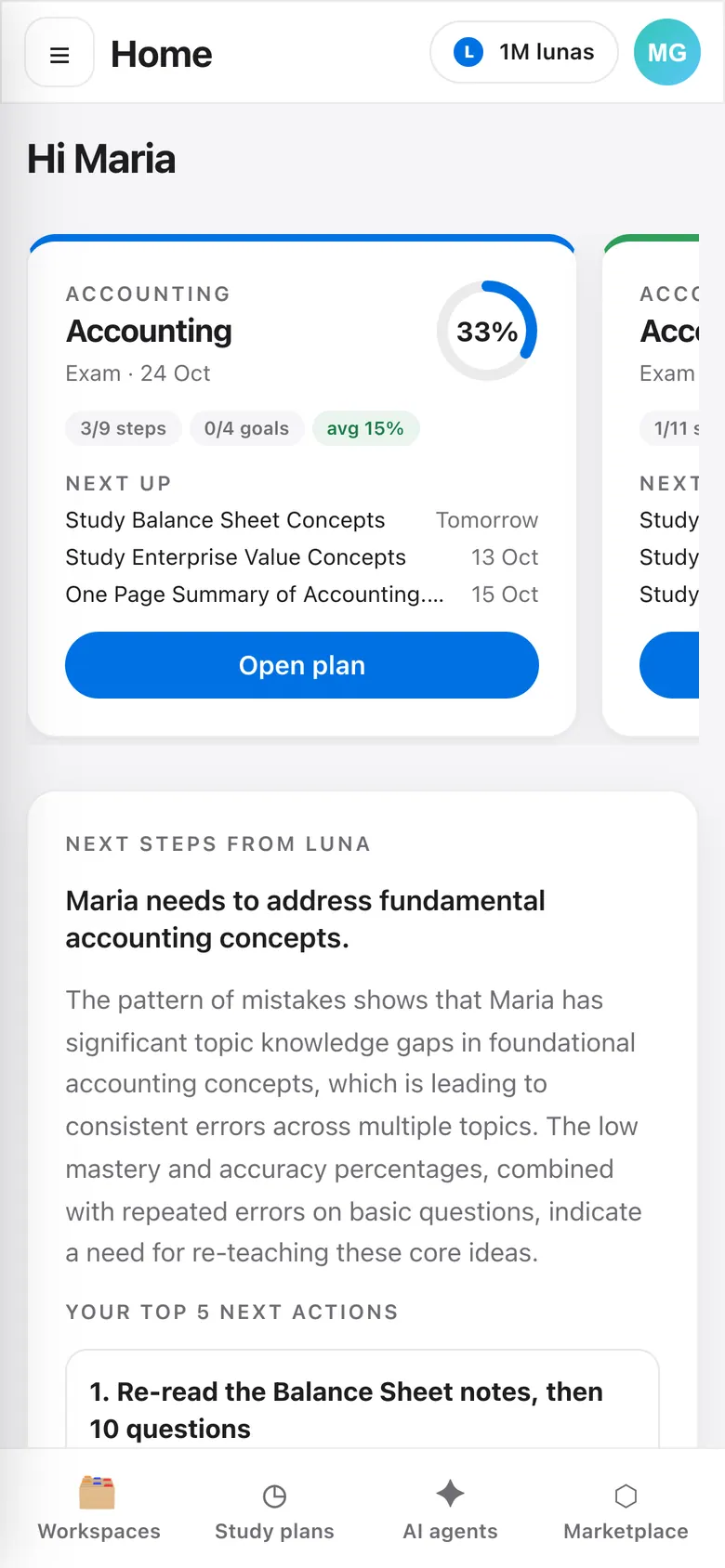
Luna on a phone: home
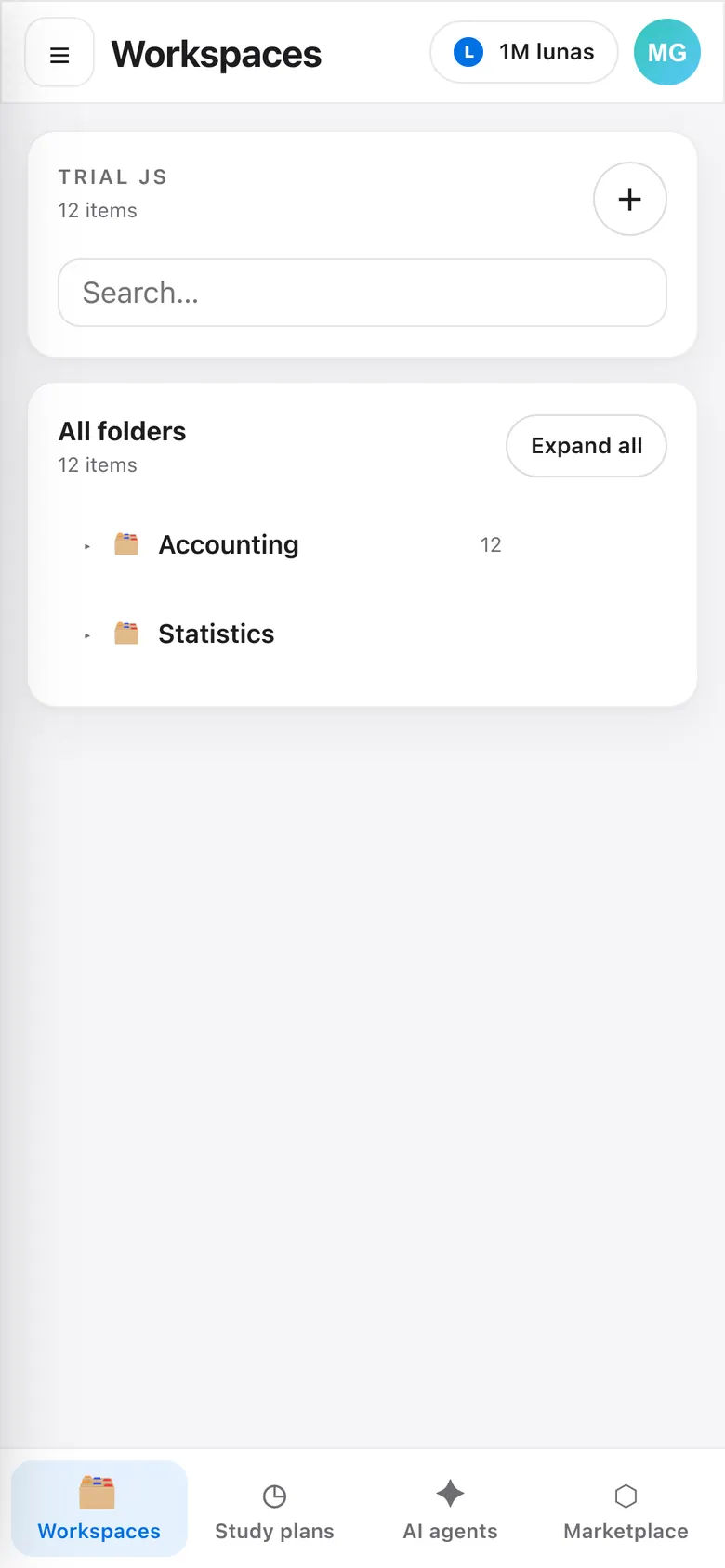
Luna on a phone: workspaces
Luna on a phone: AI agents
One environment, three roles

Everyone has a purpose. Everyone is connected.

Teachers send exam dates and assignments, parents follow performance, students share resources — and every role sees what matters to it.

Students

Upload your material, follow a plan, practise on Luna and see exactly what to reinforce. Receive work and exam dates from teachers and parents, and share resources with classmates.

  • Master notes you can mark up
  • A plan that fits your exam date
  • Mistakes explained, not just counted

Parents

Follow how your child is doing, how efficiently they study and where you can help, with full transparency on performance. Send them work and resources.

  • Progress in plain language
  • Topics you can support at home
  • Linking and sending work are in beta

Teachers

Create material from your documents, assign it with deadlines, send exam dates and organise students in groups. Read performance per student, topic and class.

  • Generate from your own resources
  • Assign work and exam dates to students or whole groups
  • Spot who needs which resource

Start with your own material.

Create a free account, upload a document and see the plan Luna builds. Luna is in beta: it is improving every week.

Try the live demo